
Signing in
You can sign in three ways. Use whichever you were told to use. All three reach the same account.
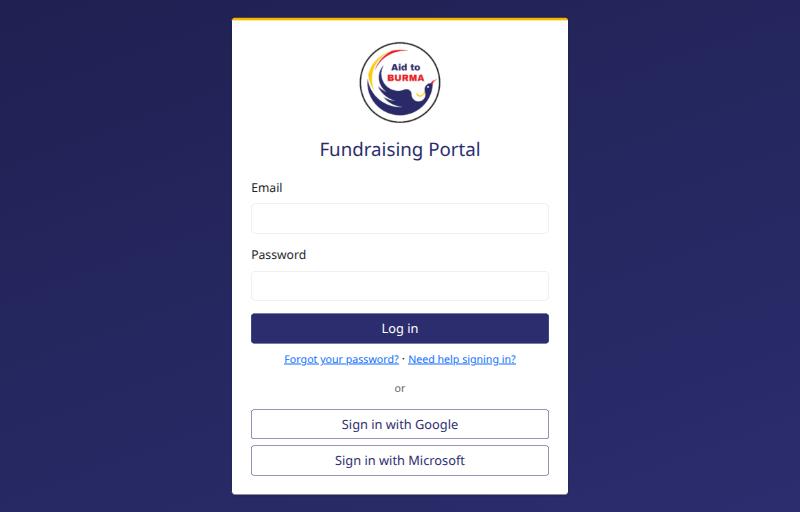
With a password
- Open the portal and type your email and password.
- Press Log in.
New here? Your invitation email has a Set your password button. It works once and expires after 3 days.
With Google or Microsoft
- Press Sign in with Google or Sign in with Microsoft.
- Choose your account. You don't need a portal password.
Use the same email. The email on your Google or Microsoft account must match the email you were added with. If it doesn't, ask whoever added you to correct it.
If you can't get in
- Forgot your password? Press Forgot your password? and follow the email we send you.
- Several wrong passwords lock the account for a few minutes. Wait, then try again.
- "Suspended" means your access was paused. Contact your administrator or fundraiser.
Common problems
- "Hasn't been invited" when using Google or Microsoft: the email on that account must match the email you were added with. Ask whoever added you to check it.
- "Suspended or no longer active": contact your administrator or fundraiser.
- "Too many failed attempts": wait a few minutes, or use Forgot your password?.